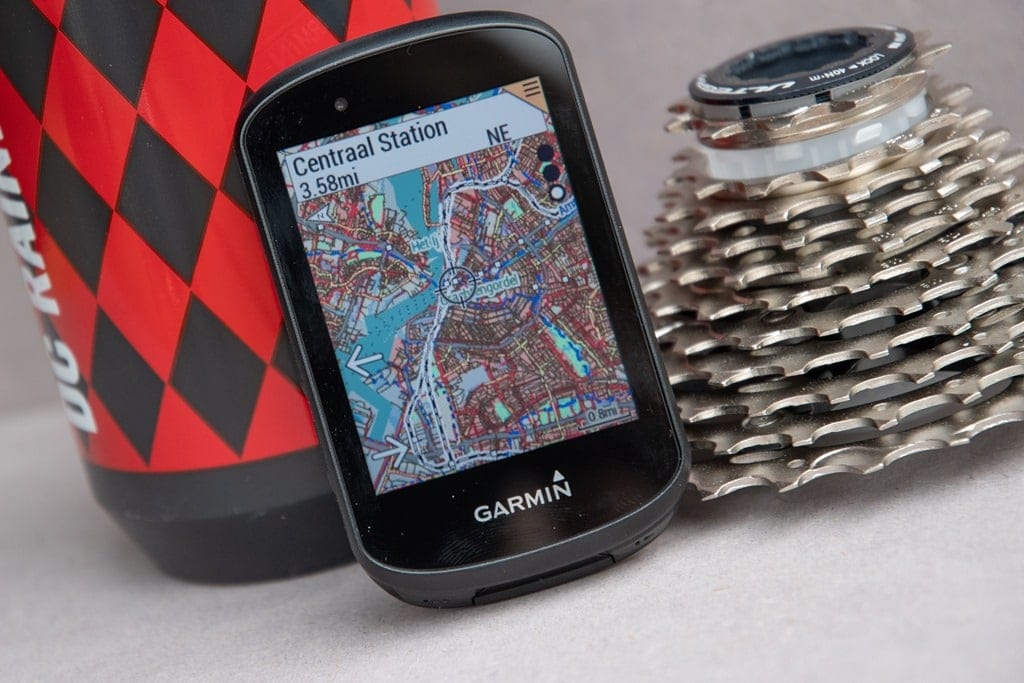
Garmin Edge 530 questions

What exactly is your goal with the garmin? How do you specifically intent to use the mapping?

Are you just looking to see if the trails appear on screen so you know where they lead?

I personally my 820 to route pre-made courses. I sit down in the Garmin Connect editor, draw a route that i want to ride through the trails i like, then load and follow that route when i get there. Following routes gives you turn by turn routing similar to a car gps as long as you're on known trails. if you wander off or take a wrong turn, it even has back on track routing. I dont use the trailforks applet to do this, rather i just use the direct navigation feature of the garmin unit since it allows me to download and use the created route from my Connect account.

The jorba donation folks are referring to is the *Additional* voluntary donation directly through the trailforks site to allow you to download the full trail gpx files of a riding area. Though not all areas are set up to charge for the trail downloads.

I read that the 530 came with Trailforks map already installed, ans since I am signed up with Trailforks I already knew what their map looked like, on my computer it has all my local trails showing. So I thought that is what would also be on my 530. I just want to see all the trails I'm riding just like I see them on my computer.
 
I read that article and it states " before I forget to mention, if you’re on an Edge 530,
then the Trailforks mountain bike trail overlays are actually totally global, so you’ve already got the entire world in your pocket "

so to me this means I already have the map.
 
I read that article and it states " before I forget to mention, if you’re on an Edge 530,
then the Trailforks mountain bike trail overlays are actually totally global, so you’ve already got the entire world in your pocket "

so to me this means I already have the map.

That means you have the Trail Forks Map. While Trail Forks is amazing, it will only show popular trails that people have uploaded to the site. You could ride the trails that are missing and then upload to Trail Forks to fill in the blanks.
 
That means you have the Trail Forks Map. While Trail Forks is amazing, it will only show popular trails that people have uploaded to the site. You could ride the trails that are missing and then upload to Trail Forks to fill in the blanks.
All the trails I want to see are already on the Trailforks site, they just don't show on my 530.
I think a problem might be that on the 530 menu there is a choice of "Trail Forks Map".
If I go to that and select it it wants me to "log in to Trailforks" . Somehow I think I'm missing
this stuff because I don't have a cell phone paired with the 530.
 
All the trails I want to see are already on the Trailforks site, they just don't show on my 530.
I think a problem might be that on the 530 menu there is a choice of "Trail Forks Map".
If I go to that and select it it wants me to "log in to Trailforks" . Somehow I think I'm missing
this stuff because I don't have a cell phone paired with the 530.

Yeah, that's exactly it. Trail Forks needs the phone. Do the OSM Map and it will work with just the Garmin.
 
I think I'm getting closer to a fix.
I saw on Trailforks where you can download maps. So I selected NJ, it said I don't have enough "karma" to download.
I need 10 karma points. My profile says I have 32 karma points. Anyway, to add karma I see you have to donate money.
To either Jorba or another club. I already donated to Jorba, but iy didn't go through Trailforks, so it doesn't count.
So I donated $15 to another group, now I have enough karma to download, which I did, I downloaded NJ & NY maps as an .img file.
So now that I have them I have to figure out how to get them into Garmin without messing Garmin up.
Some places just say copy the .img file into your Garmin folder when the unit is connected. They don't specify what folder, could that be right?
There is a folder that says "new files" , that sounds like where it should go, but I don't know.
Another place says go to menu-settings-activity profile-select profile-navigation-map, and select a map enable or disable.
What is there is Amr std basemap ame north 2020, cycle ame north 2020, dem ame north 2020 and they are all enabled.
That's all under the mountain bike settings, I didn't look at road profile.
Now I wonder if I should try and create a new profile for this new map and call it trailforks. Or just copy these new maps into Garmin
and hope they get recognized. Any suggestions?
 
I think I'm getting closer to a fix.
I saw on Trailforks where you can download maps. So I selected NJ, it said I don't have enough "karma" to download.
I need 10 karma points. My profile says I have 32 karma points. Anyway, to add karma I see you have to donate money.
To either Jorba or another club. I already donated to Jorba, but iy didn't go through Trailforks, so it doesn't count.
So I donated $15 to another group, now I have enough karma to download, which I did, I downloaded NJ & NY maps as an .img file.
So now that I have them I have to figure out how to get them into Garmin without messing Garmin up.
Some places just say copy the .img file into your Garmin folder when the unit is connected. They don't specify what folder, could that be right?
There is a folder that says "new files" , that sounds like where it should go, but I don't know.
Another place says go to menu-settings-activity profile-select profile-navigation-map, and select a map enable or disable.
What is there is Amr std basemap ame north 2020, cycle ame north 2020, dem ame north 2020 and they are all enabled.
That's all under the mountain bike settings, I didn't look at road profile.
Now I wonder if I should try and create a new profile for this new map and call it trailforks. Or just copy these new maps into Garmin
and hope they get recognized. Any suggestions?

1. make sure you save a copy of file to your computer.
2. try all of your ideas until 1 works
3. you are now a computer scientist - congrats!
 
It replaces the Garmin .img file. Copy it to your Desktop to put back in later though. It should be right in the first screen when you open the Garmin Folder.
 
Pete,

I had two 530's (early production models) that had issues. My issues were hardlocking and not displaying speed and location properly in trailforks. I called Garmin and they sent me a brand new one. Never had trailforks, GPS location or any other issue again. The new one also came with a beta operating system that I think to this day still has not been released to the public.
 
you talk garmin the way @jimvreeland talks about trek . . . . id say in both cases, thats just one mans opinion!

ha I'm mostly joking. What took me from garmin to wahoo was the garmin screen changing on it's own, plus occasional (but def more than wahoo) freezes during rides. I might go back tho - my wahoo no longer uploads to strava - I have to do it manually, and the button covers that partially came off that I sealed with good ol flex seal don't work very well.
 
ha I'm mostly joking. What took me from garmin to wahoo was the garmin screen changing on it's own, plus occasional (but def more than wahoo) freezes during rides. I might go back tho - my wahoo no longer uploads to strava - I have to do it manually, and the button covers that partially came off that I sealed with good ol flex seal don't work very well.
Yeah, my screen changed by it's self today, what da hell?
Maybe it's in the settings and warning section, I'm still figuring it out.
Also when my ride was done I hit the lower right button to stop recording the ride, but it kept recording. Took 6/6 tries to make it stop
 
Back
Top Bottom